Why After-Sales Support Matters in Smart Lawn Care
-
Reduces Downtime: A yard doesn’t stop growing because your mower needs help.
-
Protects Your Investment: Extended support and warranty services ensure longevity.
-
Enhances User Confidence: Knowing help is always available gives users peace of mind.
-
Maximizes Performance: With firmware updates, guidance, and optimization tips.
The Backbone of Yarbo’s Customer Service Philosophy
24/7 Global Yarbo Customer Support
Trained Support Specialists with Product Expertise
-
Accurate solutions
-
Faster resolutions
-
Clear, non-technical communication
Technical Assistance Every Step of the Journey
Setup Support and Installation Guides
-
Step-by-step video tutorials
-
Installation walkthroughs via app and manual
-
Personalized help via ticket or live chat
Troubleshooting Made Easy
Firmware Updates and Continuous Improvements
-
navigation algorithms
-
path planning efficiency
-
user experience improvement
The Yarbo Support Page: A Resource Hub for Users
Accessing Product Manuals and How-To Videos
-
Assembly
-
App navigation
-
Troubleshooting
Submitting a Ticket: Fast, Hassle-Free Help
-
Submit queries with photos/videos
-
Track ticket progress
-
Get email notifications on solutions
Live Chat and Support Channels
-
Website live chat
-
Email support
-
Social media assistance
Product Warrant and Coverage Details
What’s Covered in the Yarbo Warranty
-
Manufacturing defects
-
Electronic malfunction
-
Motor and sensor issues
Warranty Registration Process
The warranty period, along with the 30-day return and 45-day replacement windows, will begin on whichever occurs first:
- The date the Yarbo is activated.
- Three (3) days after delivery of all components in the complete Yarbo set.
For customers who purchase a multi-in-one package, the warranty period for the second and third modules will commence on their respective activation dates or Three (3) days after delivery. You can view the specific warranty dates directly in the Yarbo app under: Privacy & Security > Warranty Management.
Post-Purchase Experience: What to Expect
-
Use the included unboxing guide
-
Charge the mower
-
Download the Yarbo app
-
Begin guided setup
First-Time Setup with the Yarbo App
-
Set mowing zones
-
Adjust schedules
-
Receive system alerts
Yarbo Base Station Kit: Exclusive In Setup Assistance
-
Locate the ideal base station position
-
Avoid weak spots and obstructions
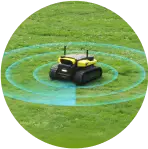
3-Step App-Based Heatmap Visualization
-
Red (Weak)
-
Yellow (Fair)
-
Green (Optimal)
Common Issues and How Yarbo Handles Them
Connectivity Problems and Fixes
-
Wi-Fi & Bluetooth troubleshooting guides
-
Remote diagnostics
Blade Maintenance and Replacement Assistance
-
Yarbo notifies you via app
-
Guides available for safe blade removal
-
Replacement kits can be ordered from official store
Real Stories: Yarbo Reviews
“My mower kept skipping zones, and I couldn’t figure it out. The support team not only guided me but walked me through updating my firmware on Zoom. Incredible service!” — James R., Oregon“I was hesitant about installing the base station. The heatmap tool and live chat made it so easy I had it done in 10 minutes!” — Elena T., Toronto
Yarbo’s Knowledge Base and Community Forum
-
Browse tutorials and FAQs
-
Share user experiences
-
Ask technical questions to experts and peers
Partner and Dealer Support Networks
-
On-ground repair support
-
Part replacements
-
In-person diagnosis for persistent issues
Comparison: Yarbo After-Sales vs Other Brands
| Feature | Yarbo | Other Brands |
| 24/7 Support | Yes | Limited |
| Human Support | Real agents | Business hours only |
| In-App Help | Yes | Some |
| Video Setup Guides | Yes | Few |
| Modular Assistance | Yes | Not available |
| Customer Satisfaction | 4.9 | 3.1-3.5 |
-7.png?w=1001&h=621)
 Private group · 33.0K members